By Martin Lehner (@anotherlehner)
NOTE: This readme for part 2 got a bit messy during development. Think of this file more as a log of my thinking as I went through part 2 than a tutorial. Will come back and improve this later.
I’m going to start part 2 by creating some type aliases to libtcod C types and start a new file called tcod.zig to keep all my interfacing with the C ABI:
const std = @import("std");
const models = @import("models.zig");
const expect = std.testing.expect;

const c = @cImport({
    @cInclude("libtcod.h");
});

pub const TcodConsole = *c.TCOD_Console;
pub const TcodColorRGBA = c.TCOD_ColorRGBA;
pub const TcodColorRGB = c.TCOD_ColorRGB;
pub const TcodKey = c.TCOD_key_t;
pub const TcodMouse = c.TCOD_mouse_t;
pub const KeyEscape = c.TCODK_ESCAPE;
pub const KeyUp = c.TCODK_UP;
pub const KeyDown = c.TCODK_DOWN;
pub const KeyLeft = c.TCODK_LEFT;
pub const KeyRight = c.TCODK_RIGHT;
pub const KeyNone = c.TCODK_NONE;

pub fn consolePutCharEx(con: TcodConsole, x: i32, y: i32, character: u8, fore: TcodColorRGB, back: TcodColorRGB) void {
    c.TCOD_console_put_char_ex(con, x, y, character, fore, back);
}

...
I also added a few utility functions. See the file in the tree for all the functions.
Note: I discovered it’s actually really important to put the cImport code for importing the libtcod library in ONE file rather than having it in multiple. If you put that cImport code in more than one file you’re likely to get duplicate definitions because clang is being invoked multiple times to translate the C code. Lesson learned, do it once!
The consolePutCharEx wrapper function looks almost exactly like the TCOD console_put_char_ex function except that it takes my new color type aliases. The new organization looks like this:
src/
    main.zig
    tcod.zig
    models.zig
Now add imports in main.zig to use the new files and replace the old console_put_char function call in our while loop with the new wrapper function:
const tcod = @import("tcod.zig");
const models = @import("models.zig");

// import tests from dependency modules
test {
    _ = @import("tcod.zig");
}

...

tcod.consolePutCharEx(null, playerX, playerY, ASCII_AT, ..., ...);

...
Zig has a slightly unusual method of importing tests so that they all run together. See the unnamed test block that does an import of tcod.zig in the above snippet. This causes the tests in both files to be run when we do zig build test.
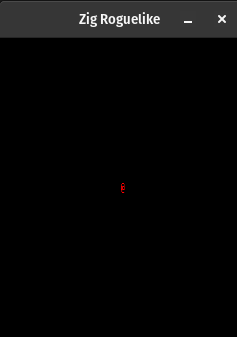
Fire this up with zig build run and voila! Red @ symbol on a black background.
Obligatory screeny: screenshot of player symbol
Just a quick note before I moved on to talking about entities: After the above section I moved all the action-related structs out of main.zig into models.zig as it’s becoming a holding area for my data structures for now. I’ll leave that for you to see in the source code itself. As I continue through this series I’m sure I’ll discover more ways to organize this code and determine which are the most beneficial for me. For now, let’s just keep it simple.
I updated main.zig to prefix references of those action structures with models. (the const I’ve imported the models.zig content into).
Trivia: Zig files are like implicit structs themselves. When you import a zig file into another and stick the result of that import onto a const name you’re essentially getting a struct. Reminds me of Lua?
Zig doesn’t have objects like Python or Java, only structs. The Roguelike tutorial for Python uses objects to represent Entities and may later on extend from them in child objects. I don’t have a complete solution for how to replace this in Zig at the moment. For now I’m going to somewhat blindly create a struct for Entity and use that for the rest of part 2. Once I get further along to future parts I’m sure that this strategy may change.
In the models.zig file I added:
pub const Entity = struct {
    x: i16,
    y: i16,
    glyph: u8,
    color: tcod.TcodColorRGB,

    pub fn move(self: Entity, dx: i16, dy: i16) {
        self.x += dx;
        self.y += dy;
    }
};
Notice that this struct has a function inside it. This behaves similarly to a Python object method in that we can call it without explicitly specifying the self in the function arguments when we call it, but we can also call it like just a function in the “Entity” namespace.
// call directly on an entity struct using the dot syntax (implicitly provides self)
ent.move(-1,1);

// call statically and provide an entity (explicitly provides self -- can be any entity struct!)
Entity.move(ent, -1, 1);
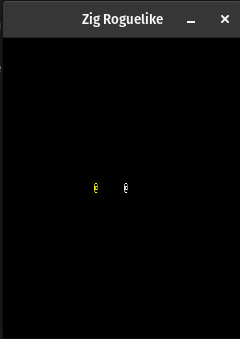
Following the tutorial we can replace the code we had for showing the player with code that uses Entity to display a player icon and an npc icon:
@@ -28,8 +28,10 @@ pub fn main() anyerror!void {
     }

     var key = c.TCOD_key_t{ .vk = c.TCODK_NONE, .c = 0, .text = undefined, .pressed = undefined, .lalt = undefined, .lctrl = undefined, .lmeta = undefined, .ralt = undefined, .rctrl = undefined, .rmeta = undefined, .shift = undefined };
-    var playerX: i16 = SCREEN_WIDTH / 2; // initial player x position
-    var playerY: i16 = SCREEN_HEIGHT / 2; // initial player y position
+
+    var player: models.Entity = models.Entity{.x=SCREEN_WIDTH/2, .y=SCREEN_HEIGHT/2, .glyph=ASCII_AT, .color=tcod.TcodColorRGB{.r=255,.g=255,.b=255}};
+    var npc: models.Entity = models.Entity{.x=SCREEN_WIDTH/2 - 5, .y=SCREEN_HEIGHT/2, .glyph=ASCII_AT, .color=tcod.TcodColorRGB{.r=255,.g=255,.b=0}};
+    var entities = [_]*models.Entity{&player, &npc};

     _ = c.TCOD_console_set_custom_font("../dejavu10x10_gs_tc.png", c.TCOD_FONT_TYPE_GREYSCALE | c.TCOD_FONT_LAYOUT_TCOD, 0, 0);

@@ -38,7 +40,9 @@ pub fn main() anyerror!void {
         c.TCOD_console_clear(null);

         // Render
-        tcod.consolePutCharEx(null, playerX, playerY, ASCII_AT, models.Color_Red, .{.r=0,.g=0,.b=0});
+        for (entities) |ent| {
+            tcod.consolePutCharEx(null, ent.x, ent.y, ent.glyph, ent.color, .{.r=0,.g=0,.b=0});
+        }
         _ = c.TCOD_console_flush(); // render the drawn console to the screen

         // Events
@@ -49,8 +53,7 @@ pub fn main() anyerror!void {
             switch (action) {
                 models.ActionType.escapeAction => return,
                 models.ActionType.moveAction => |m| {
-                    playerX += m.dx;
-                    playerY += m.dy;
+                    player.move(m.dx, m.dy);
                 },
             }
        }
Couple of things to note here:
*models.Entity pointers to Entity structs&player, &npc to put into the array pointers to the Entity structs rather than copiesI actually also needed to make one more change in models.zig:
pub fn move(self: *Entity, dx: i16, dy: i16) void {
    self.x += dx;
    self.y += dy;
}
Notice here that the type of self is now *Entity instead of Entity. We need to do this because we’re going to modify self inside this function call. Zig by default provides all function arguments as constant so we’ll get a compiler error without making the type of self a pointer to an Entity.
Here’s a screenshot showing our new player and npc on the screen: screenshot.
Let’s reorganize the structure of our project a bit following the idea in the roguelike tutorial that we want to keep the pieces of our program simple and modular. We can take the rendering and input handling and abstract this behavior out into an Engine module:
pub const Engine = struct {
    entities: []*models.Entity,
    player: *models.Entity,

    pub fn handleEvents(self: *Engine) void {
        var key = initKey();
        _ = c.TCOD_sys_check_for_event(c.TCOD_EVENT_KEY_PRESS, &key, null);
        const optionalAction = evKeydown(key);
        if (optionalAction) |action| {
            switch (action) {
                models.ActionType.escapeAction => std.process.exit(0),
                models.ActionType.moveAction => |m| {
                    self.player.move(m.dx, m.dy);
                },
            }
        }

    }

    pub fn render(self: *Engine) void {
        // Clear
        c.TCOD_console_clear(null);

        // Render
        for (self.entities) |ent| {
            tcod.consolePutCharEx(null, ent.x, ent.y, ent.glyph, ent.color, .{.r=0,.g=0.b=0});
        }
        _ = c.TCOD_console_flush(); // show the drawn console to the screen
    }
};
This is just the core Engine struct definition, you can take a peek at the engine.zig file directly for the extra bits. After creating the engine definition I moved the code from main.zig having to do with event handling and rendering over the the engine file, along with a couple tests I have for that code.
Note here that I am not passing an event handler the way the python tutorial does. I’m not fully versed in how tcod can handle events so I’m keeping that code isolated and as simple as possible before I get too fancy with it – favoring changing it only if I need to at this point.
The changes to main.zig are fairly straightforward, get rid of all the event handling and rendering code and replace with the engine:
 const std = @import("std");
 const tcod = @import("tcod.zig");
 const models = @import("models.zig");
+const engine = @import("engine.zig");
 const expect = std.testing.expect;

 // import tests from dependency modules
 test {
     _ = @import("tcod.zig");
+    _ = @import("engine.zig");
 }

-        _ = c.TCOD_sys_check_for_event(c.TCOD_EVENT_KEY_PRESS, &key, null);
-
-        const optionalAction = evKeydown(key);
-        if (optionalAction) |action| {
-            switch (action) {
-                models.ActionType.escapeAction => return,
-                models.ActionType.moveAction => |m| {
-                    player.move(m.dx, m.dy);
-                },
-            }
-        }
+        eng.render();
+        eng.handleEvents();
     }
 }
-
-// Returns a TCOD key struct initialized with an empty key code
-fn initKey() c.TCOD_key_t {
-    return c.TCOD_key_t{ .vk = c.TCODK_NONE, .c = 0, .text = undefined, .pressed = undefined, .lalt = undefined, .lctrl = undefined, .lmeta = undefined, .ralt = undefined, .rctrl = undefined, .rmeta = undefined, .shift = undefined };
-}
-
-fn initKeyWithVk(initialVk: c_uint) c.TCOD_key_t {
-    var k = initKey();
-    k.vk = initialVk;
-    return k;
-}
-
-// This function takes a keydown event key and returns an optional action type to respond to the event
-fn evKeydown(key: c.TCOD_key_t) ?models.ActionType {
-    return switch (key.vk) {
-        c.TCODK_ESCAPE => models.ActionType{ .escapeAction = models.EscapeAction{} },
-        c.TCODK_UP => models.ActionType{ .moveAction = models.MoveAction{ .dx = 0, .dy = -1 } },
-        c.TCODK_DOWN => models.ActionType{ .moveAction = models.MoveAction{ .dx = 0, .dy = 1 } },
-        c.TCODK_LEFT => models.ActionType{ .moveAction = models.MoveAction{ .dx = -1, .dy = 0 } },
-        c.TCODK_RIGHT => models.ActionType{ .moveAction = models.MoveAction{ .dx = 1, .dy = 0 } },
-        else => null,
-    };
-}
-
-test "evKeydown up" {
-    const action = evKeydown(initKeyWithVk(c.TCODK_UP)).?;
-    try expect(action.moveAction.dx == 0);
-    try expect(action.moveAction.dy == -1);
-}
-
-test "initKeyWithVk should set given key on returned structure" {
-    const key = initKeyWithVk(c.TCODK_UP);
-    try expect(key.vk == c.TCODK_UP);
-}
Main is a lot smaller now and we have a cleaner separation between modules. It’s not perfect but we’ll improve as we go. One last thing to note from the above is that I added another empty import reference to the anonymous test { section to engine.zig. This is so that when we run zig build test the effect is to run all the tests.
I won’t include a screenshot here since graphically nothing has changed but do load the program up and make sure you can still walk around the same as the last section.
In preparation for adding the map we first need a few data structures to hold map tile data and graphics to show on the screen:
// Graphic -- TCOD_ConsoleTile equivalent
pub const Graphic = struct {
    ch: u8,
    fg: tcod.TcodColorRGBA,
    bg: tcod.TcodColorRGBA,
};

// Tile
pub const Tile = struct {
    walkable: bool,
    transparent: bool,
    dark: Graphic,
};

pub const FLOOR = Tile{ .walkable = true, .transparent = true, .dark = Graphic{ .ch = ' ', .fg = Color_White, .bg = Color_SoftBlue } };
pub const WALL = Tile{ .walkable = false, .transparent = false, .dark = Graphic{ .ch = ' ', .fg = Color_White, .bg = Color_DarkBlue } };
These structures roughly follow what the Python tutorial is doing.
Building the map structure meant I needed to learn how to allocate a multidimensional array to store all the tiles. Rather than hardcode that size at compile time I decided it’s time to start learning about Zig allocators, which provide the memory management we need to allocate and free memory in various ways.
// Map
pub const Map = struct {
    width: i32,
    height: i32,
    allocator: Allocator,
    tiles: []Tile, // width * height

    pub fn inBounds(self: *Map, x: i32, y: i32) bool {
        return 0 <= x and x < self.width and 0 <= y and y < self.height;
    }

    pub fn fill(self: *Map, tileToFill: Tile) void {
        var i: i32 = 0;
        while (i < self.width * self.height) : (i += 1) {
            self.tiles[@intCast(i)] = tileToFill;
        }
    }

    pub fn deinit(self: *Map) void {
        self.allocator.free(self.tiles);
    }

    pub fn get(self: *Map, x: i32, y: i32) !*Tile {
        if (!self.inBounds(x,y)) {
            @panic("went outside of map");
        }
        return &self.tiles[@intCast(usize, (self.width*x)+y)];
    }

    pub fn isWalkable(self: *Map, x: i32, y: i32) bool {
        if (!self.inBounds(x,y)) return false;
        var loc = (self.width * y) + x;
        if (loc > self.width * self.height) {
            std.log.info("outside map bounds, x: {d}, y: {d}, loc: {d}, mapsize: {d}", .{x,y, loc,(self.width*self.height)});
            @panic("went outside of map");
        }
        return self.tiles[@intCast(usize, loc)].walkable;
    }

    pub fn init(width: i32, height: i32, allocator: Allocator) !Map {
        const size = width * height;
        var tiles = try allocator.alloc(Tile, @intCast(size));
        var m = Map{.width=width, .height=height, .allocator=allocator, .tiles=tiles};
        m.fill(FLOOR);
        return m;
    }

    pub fn addSomeWalls(self: *Map) void {
        self.tiles[200] = WALL;
        self.tiles[201] = WALL;
        self.tiles[505] = WALL;
        self.tiles[550] = WALL;
    }
};
The struct definition says we’re going to have a Map that consists of width, height, a memory allocator, and a single-dimensional array. Hey wait, multi-dimensional? yeah, I was about to do that and realized I could actually do this with a single long array and use a little math to get at the parts I want. It’ll also make rendering easy later on.
The init function takes the parameters we need to create a map and can be called like try Map.init(w,h,allocator);. The allocator function alloc is called with the type we need an array of, in this case Tile, and the number of them we need space for, in this case I’ll be using width * height length.
This also starts to show Zig’s error handling behavior. The allocator is invoked with try and there is an exclamation point in the return type of the init function. More on the ! later but for now try is used when you invoke a function that may return an error.
Aside: I ran into an issue where specifying the size to the allocator had to be in type usize (unsigned size I believe?) and what I had was an i32 signed integer. This gets you a compiler error without a cast. There’s probably another way to do this but I haven’t figured that out yet.
Some other commennts:
deinit should be called when the map is no longer needed so the memory can be freed, typically in a defer blockinBound pretty much matches the Python tutorial except a tiny bit more verbosefill will fill all the tiles in the Map with a given one like FLOOR or WALLget will return a tile given a set of coordinates or panic and kill the program if one outside the map is requestedisWalkable returns the boolean true/false value for a particular tile or panic if outside the mapaddSomeWalls is just a little temporary method to add some walls to the map for fun and profitThat’s the map so far! phew… I did write a few tests, you can see them in the source.
I updated main.zig to create a new map using Zig’s general purpose memory allocator and give a reference to it to the engine:
var gpa = std.heap.GeneralPurposeAllocator(.{}){};
const allocator = gpa.allocator();
defer {
    const leaked = gpa.deinit();
    if (leaked == .leak) expect(false) catch @panic("FAIL");
}

var map = try models.Map.init(constants.SCREEN_WIDTH, constants.SCREEN_HEIGHT, allocator);
map.addSomeWalls();
defer {
    map.deinit();
}

var eng = engine.Engine.init(&entities, &player, console, &map);
So in this last section of part 2 we needed to make a couple improvements to the engine: first rendering the map and second the abstraction of performing actions.
Map rendering is straightforward and I actually did it a little differently from the tutorial:
engine.zig render function:
pub fn render(self: *Engine) void {
    tcod.consoleClear(self.console);
    tcod.renderMap(self.console, self.map);
    for (self.entities) |ent| {
        tcod.consolePutCharEx(self.console, ent.x, ent.y, ent.glyph, ent.color, .{.r=0,.g=0,.b=0});
    }
    tcod.consoleBlit(self.console, constants.SCREEN_WIDTH,constants.SCREEN_HEIGHT);
    tcod.consoleFlush();
}
tcod.renderMap, we’ll see that in a secondIn tcod.zig I added a render map function. I’m not sure it belongs there but I don’t like having it attached to the Map at the moment:
pub fn renderMap(console: TcodConsole, map: *models.Map) void {
    for (map.tiles) |t, index| {
        console.tiles[index].ch = t.dark.ch;
        console.tiles[index].fg = t.dark.fg;
        console.tiles[index].bg = t.dark.bg;
    }
}
This code iterates through the map tiles and sets the screen console tiles using the data in the map.
Lastly the improvements to actions… Since Zig doesn’t have objects I don’t have object inheritance, which the tutorial takes advantage of. Instead I created a separate actions module that does the actual action performing. First I changed engine.zig to call this new module:
pub fn handleEvents(self: *Engine) void {
    var key = initKey();
    tcod.sysCheckForEvent(&key);
    const optionalAction = evKeydown(key);
    if (optionalAction) |action| {
        actions.perform(action, self.map, self.player);
    }
}
The important part here is the actions.perform call. Let’s take a look at the actions module:
actions.zig:
pub fn perform(action: models.ActionType, map: *models.Map, player: *models.Entity) void {
    switch (action) {
        models.ActionType.escapeAction => performEscapeAction(),
        models.ActionType.moveAction => |m| performMoveAction(map, player, m),
    }
}

fn performEscapeAction() void {
    std.log.info("EscapeAction: quitting...", .{});
    std.process.exit(0);
}

fn performMoveAction(map: *models.Map, player: *models.Entity, move: models.MoveAction) void {
    if (map.isWalkable(player.x+move.dx, player.y+move.dy)) {
        player.move(move.dx, move.dy);
    }
}
The logic that used to be in the engine is now here in perform, which calls “private” functions within this module to carry out the escape and move actions.
Oof, that took a lot more time than I expected. Three quarters of the way through writing this narrative I discovered quite a few things that made me rethink the approaches I had and refactor things. As a result this file got a bit messy. Hopefully in the future I’ll come back and replace this with a clear narrative similar to the one in the Python tutorial – with some further improvements to my code too.
the doryen documentation for v1.6.4 (has c/c++ reference documentation) https://libtcod.github.io/docs/index2.html?c=true&cpp=true&cs=false&py=false&lua=false
libtcod c/c++ documentation https://libtcod.readthedocs.io/en/latest/
ziglearn documentation https://ziglearn.org/chapter-1/